 Cardex
Quick answer: confirm the exact card, find several recent completed sales for matching copies, account for your card’s condition and choose a listing format that fits your minimum acceptable outcome. Then make the listing clear enough that buyers can see exactly what they are getting.

Pricing a card to list? Scan it with Cardex to identify the exact printing and compare eBay, TCGplayer and Cardmarket prices first. See how it works.
Get the free appStart with completed sales, not active listings
An active listing shows what a seller hopes to receive. A completed sale shows what a buyer paid for a particular card at a particular time. eBay’s own pricing guidance points sellers to comparable listings and completed listings when they are researching an item’s value.
Look for several recent sales rather than copying one number. A single result can be unusually high or low because it was an auction, included shipping, had an unclear title, or had a condition detail that is not obvious from the headline.
Match the card before you match the price
Pokémon name alone is not enough. Before you use a sale as a price reference, compare the details below.
| Check | Why it changes the price |
|---|---|
| Set and collector number | The same Pokémon can have many printings with very different demand. |
| Variant and language | Regular prints, holos, reverse holos, promos, 1st Editions and language versions can trade separately. |
| Raw or graded | An ungraded card is not the same product as a card in a graded holder. |
| Grading company and grade | When comparing slabs, match the same grader and numeric grade where possible. |
| Condition | Whitening, scratches, dents, creases and centering can change what a buyer will pay. |
If you are unsure which version you have, start with our guide to identifying a Pokémon card set. Matching the wrong card is the fastest way to price a listing badly.
Turn comparable sales into a listing price
- Remove bad comparisons. Exclude lots, damaged copies, the wrong language, the wrong variant and a different grade.
- Find the range. Look for where the closely matching recent sales cluster, rather than treating the highest sale as the market value.
- Place your copy honestly within that range. A cleaner card may belong toward the stronger end of the range; visible flaws may put it lower. Use our condition guide if you need a repeatable inspection.
- Know your minimum outcome. Consider the costs that apply to your sale, including platform fees, postage, packaging and any optional services, before you commit to a price or auction start.
- Review it again before listing. Markets move, so a range based on recent comps is more useful than a number saved months ago.
Fixed price or auction?
eBay supports both fixed-price listings and auction-style listings. A fixed-price listing gives you control over the posted price and can optionally accept offers. In an auction, buyers bid and the final result depends on the bids received.
There is no single right format for every card. If comparable sales give you a clear range and you know the minimum you are comfortable with, a fixed-price listing can be simpler. If you choose an auction, be comfortable with the starting price and the possible final outcome. Do not rely on an optimistic top-grade or look-alike sale to decide either format.
Make the listing easy to understand
Pricing only works if buyers know what they are comparing. eBay recommends clear descriptions and accurate condition details, and says that item specifics can help listings appear in eBay and external search results.
- Use a precise title: Pokémon name, set name, collector number, variant, language and grade where relevant.
- Choose the correct category and item specifics: fill in the details eBay asks for instead of leaving important fields vague.
- Photograph the actual card: show the front and back clearly. Add close-ups of visible whitening, scratches, dents or creases.
- Describe condition plainly: do not call a played card Near Mint just because the front looks clean in one photo.
- State exactly what is included: make it obvious whether the sale is one card, a slab, a card with accessories, or a bundle.
Use Cardex to prepare the research
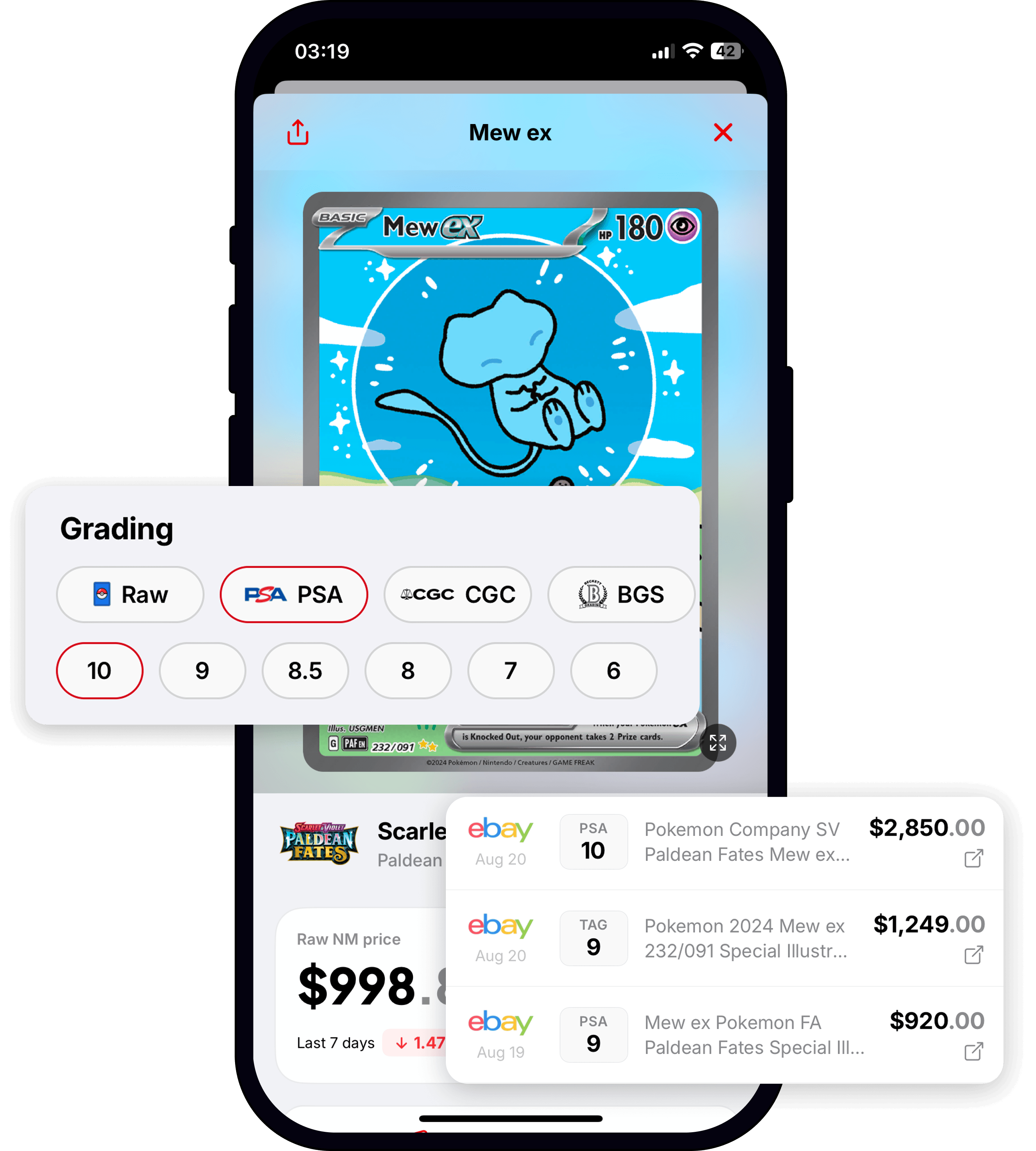
Cardex can make the identification step quicker: use automatic scanning to find the card, then check its current raw and graded price views along with recent eBay sale information. Review the closest sales yourself before you list, especially their variant, grade and condition.
If you are selling a group of cards, add them to a collection tracker while you research. You can then separate ordinary cards, selling candidates and cards that may be worth a closer grading comparison.
Price the exact card you have
Scan with Cardex to identify the card and review current raw and graded prices with recent eBay sale information before you create a listing.


Before you publish an eBay listing
- The set, number, variant and language match your comparable sales.
- Raw cards are compared with raw cards; graded cards match the grader and grade.
- Your price reflects the card’s actual condition, not a cleaner copy.
- Photos show the front, back and any flaws clearly.
- The title, item specifics and description describe one unambiguous item.
- You have reviewed current eBay requirements and costs for your account before listing.
Frequently asked questions
Should I price my Pokémon card from the highest active eBay listing?
No. Start with several recent completed sales for close matches. Active listings can be useful context, but they do not prove that a buyer will pay the advertised amount.
How do I price a Pokémon card with a flaw?
Find recent sales of copies with comparable wear where possible. If your card has a crease, dent, whitening or scratches, show it clearly in photos and mention it in the description rather than pricing it like a cleaner copy.
Can I use a PSA 10 sale to price my raw card?
No. A PSA 10 and an ungraded card are different products. Use the PSA 10 sale only as context if you are considering grading, then compare it with realistic raw and graded matches in our raw versus graded price guide.
Sources and further reading
- eBay: Pricing your items: using comparable and completed listings, plus fixed-price and auction options.
- eBay: Creating a listing: descriptions, condition and item specifics.
- eBay: Adding pictures to your listings: clear photos, showing flaws and the item being sold.